
This is the support page for the Maverick Del Mar OD motor — the outdoor tubular motor that drives your Apollo power screen. Everything you need to run and reprogram it is here: the remote layout, how to pair a new motor, set the top and bottom limits, add or delete channels, and do a full factory reset. The programming guide and spec sheet are below, both viewable and downloadable.
Bookmark it. If you ever add a remote, move into a home with an existing screen, or the shade stops stopping where it used to, this is the page to come back to.
The Del Mar OD, in Four Numbers
What the Del Mar OD Motor Does
The Del Mar OD is a tubular motor built for outdoor use. It lives inside the roller tube of the screen, so there's nothing hanging off the side of the housing — you press a button and the shade rolls up or down.
The OD stands for obstacle detection. If the shade comes down onto something — a patio chair someone left out, a pet, a buildup of ice on the hembar — the motor senses the resistance and stops instead of forcing through it. That protects the screen, the hembar, and whatever's in the path. There's nothing to program for this; it works on its own.
It carries an IP65 rating, which means it's sealed against dust and low-pressure water jets — it's meant to live outside through the seasons, not hide under a soffit. And the remote that runs it is USB-C rechargeable, so you top it off with the same cable as your phone instead of hunting for a coin-cell battery.
Maverick Del Mar OD vs. Somfy
Somfy's Maestria motor and Telis remote are the reference point in this category. Here's how the Del Mar OD lines up against them on the specs that matter for an outdoor screen.
Motor: Del Mar OD vs. Somfy Maestria RTS
| Maverick Del Mar OD | Somfy Maestria RTS | |
|---|---|---|
| Obstacle detection | Yes — up & down | Yes — up & down |
| Weather rating | IP65 (dust + water jets) | Not published* |
| Motor warranty | 20 years | 5 years |
Remote: Maverick vs. Somfy Telis RTS
| Maverick Remote | Somfy Telis RTS | |
|---|---|---|
| Power | USB-C rechargeable | CR2430 coin battery (replace) |
| Channels | Multi-channel | 1 (Telis 1) or 5 (Telis 4) |
| Favorite position | Programmable limits | “my” position button |
| Programming | On-remote S1 + motor-head button | RTS pairing |
*Somfy figures per Somfy's published specs (Maestria RTS, Telis 4 RTS); Somfy motors carry a 5-year warranty. Somfy does not publish an IP rating on the Maestria exterior motor. Comparison is for general guidance — confirm current specs with each manufacturer.
Programming the Maverick Remote
A quick walkthrough of the moves most people need. Tap play, or follow the guide below.
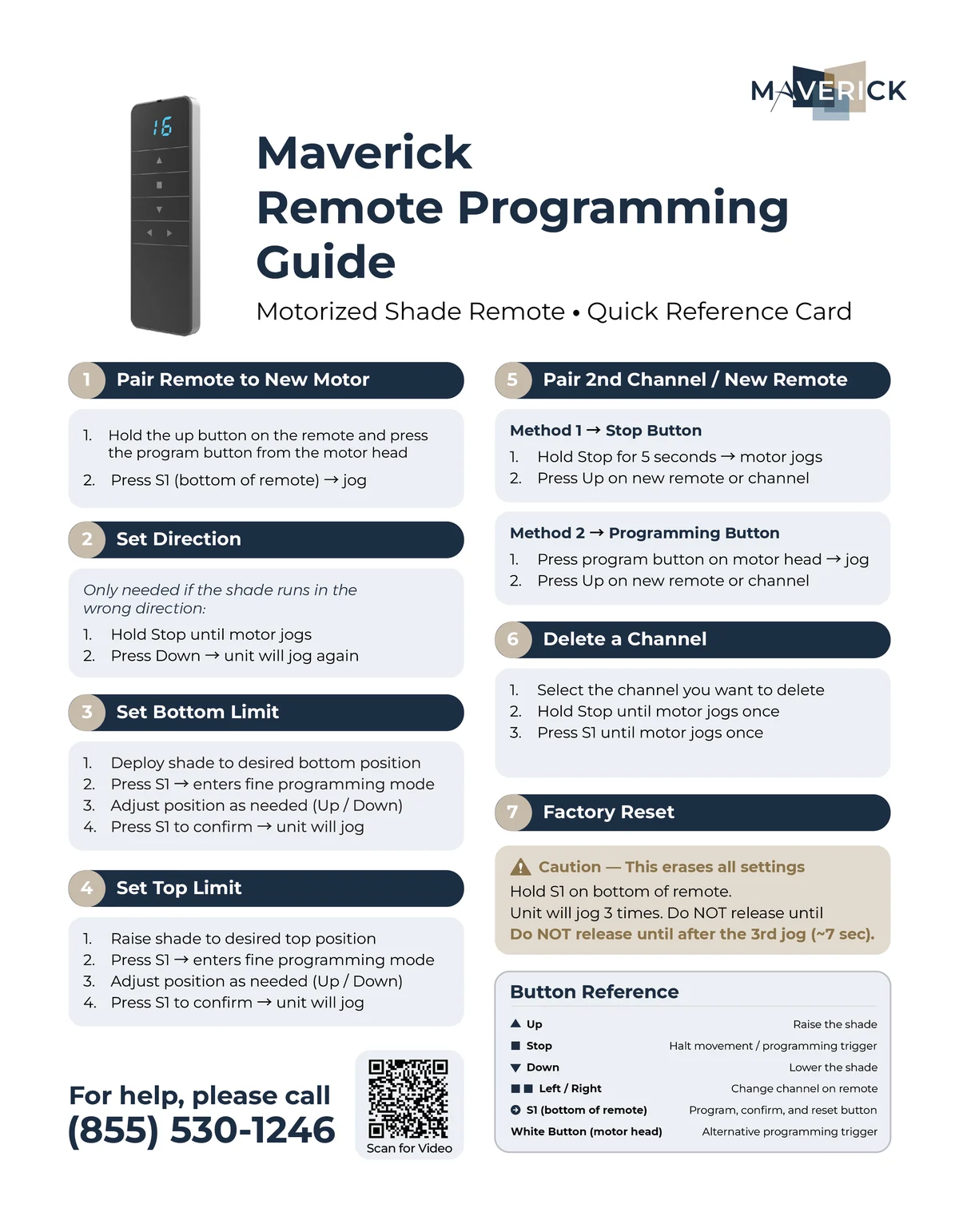
Maverick Remote Programming Guide
The full step-by-step reference — pair a remote, set the direction, set the top and bottom limits, add or delete channels, and factory reset. It's the same guide that ships with the remote.
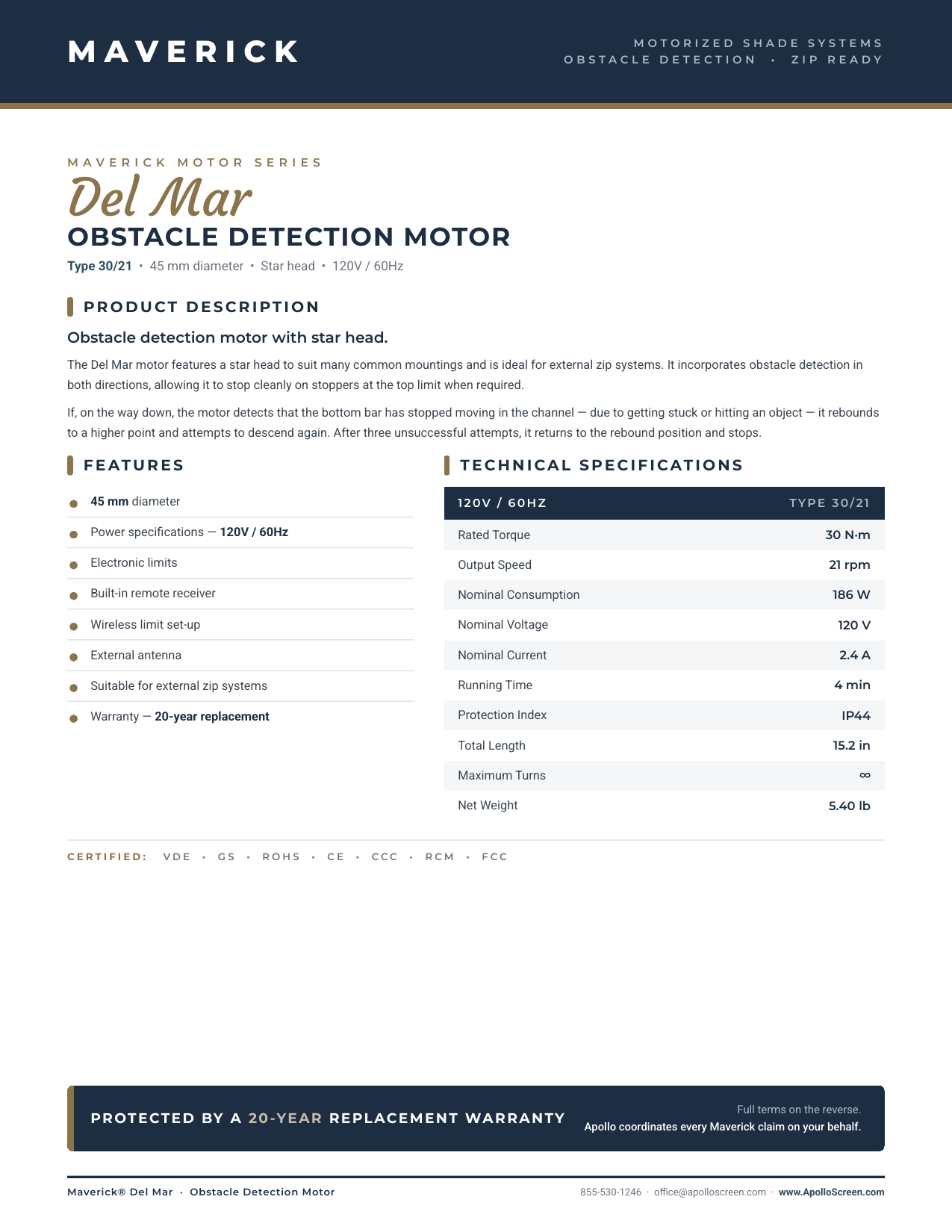
Del Mar OD Motor Specifications
Full technical specifications for the Del Mar OD obstacle-detection motor — IP65 rating, torque, and the rest of the data sheet for specifiers.
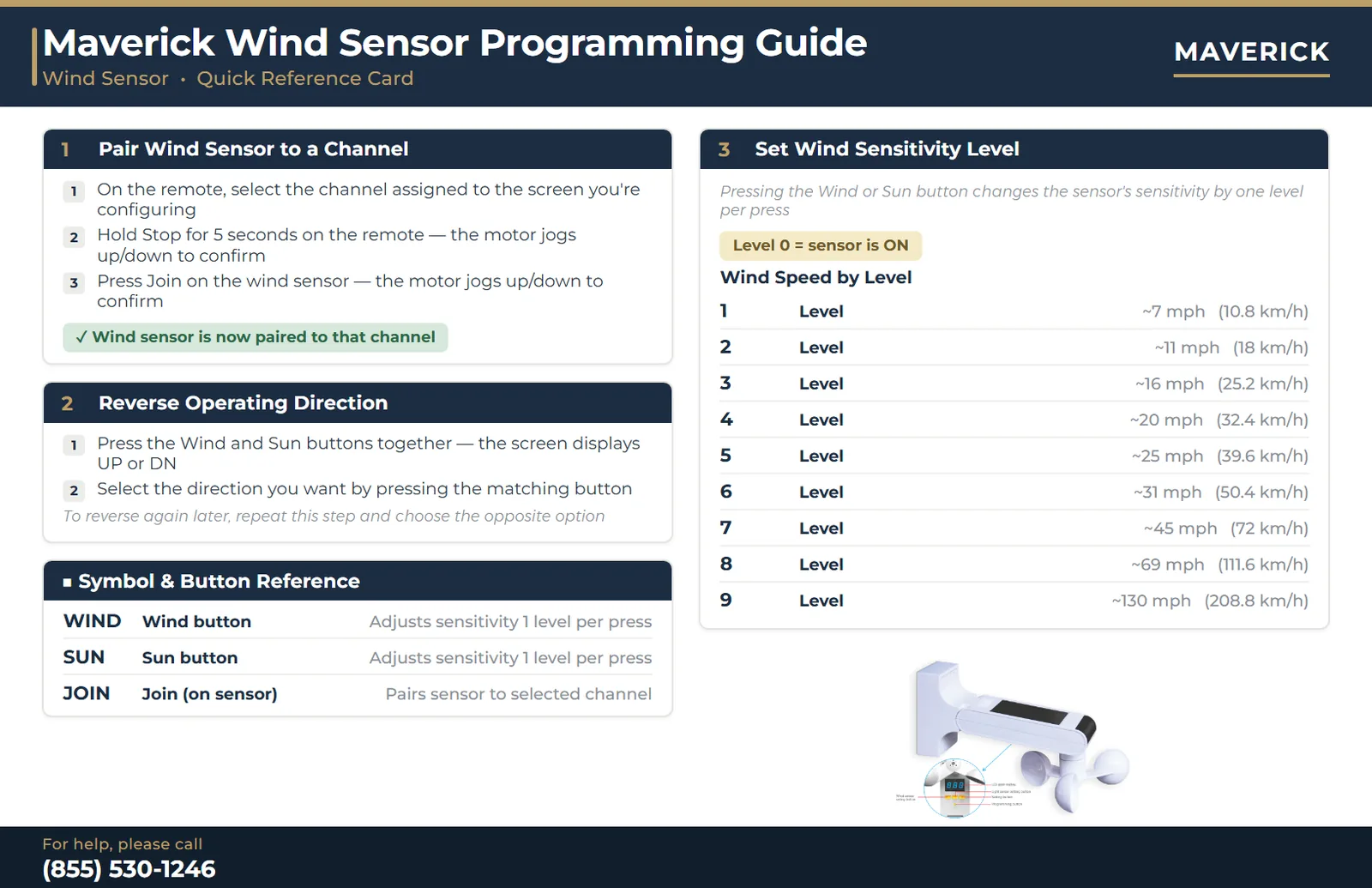
Programming the Wind Sensor
An optional wind sensor pairs to any channel and retracts the screen automatically once wind speed crosses the level you set. Here's how to pair it, set its sensitivity, and reverse direction if it's ever mounted or wired backwards.
1. Pair the Wind Sensor to a Channel
- On the remote, select the channel assigned to the screen you're configuring.
- Hold Stop for 5 seconds on the remote — the motor jogs up/down to confirm.
- Press Join on the wind sensor — the motor jogs up/down again to confirm the sensor is now paired to that channel.
2. Reverse Operating Direction
- Press the Wind and Sun buttons together — the sensor's screen displays UP or DN.
- Select the direction you want by pressing the matching button.
To reverse again later, repeat this step and choose the opposite option.
3. Set Wind Sensitivity Level
Pressing the Wind or Sun button changes the sensor's sensitivity by one level per press. Level 0 means the sensor is on. Levels 1 through 9 set the wind speed that triggers an automatic retraction, from about 7 mph at Level 1 up to about 130 mph at Level 9.
| Level | Approx. Wind Speed That Triggers Retraction |
|---|---|
| 1 | ~7 mph (10.8 km/h) |
| 2 | ~11 mph (18 km/h) |
| 3 | ~16 mph (25.2 km/h) |
| 4 | ~20 mph (32.4 km/h) |
| 5 | ~25 mph (39.6 km/h) |
| 6 | ~31 mph (50.4 km/h) |
| 7 | ~45 mph (72 km/h) |
| 8 | ~69 mph (111.6 km/h) |
| 9 | ~130 mph (208.8 km/h) |
When It Won't Cooperate
- No jog when you program. The jog — a short back-and-forth twitch — is the motor's confirmation. No jog means the step didn't register, so repeat it slowly.
- Buttons do nothing. Check the channel first (left/right arrows), then charge the remote over USB-C, then confirm the motor has power.
- Second motor won't pair. It has to be within radio range of the remote during pairing. Get closer and try again.
- Shade stops short or overtravels. Reset the limits — the top or bottom limit has drifted or was cleared.
- Runs backwards. Run the direction step in the programming guide.
If none of that lands it, call us. We service Apollo power screens across our service area and can talk you through it or send a technician.
Maverick Motor Warranty
The Maverick motor carries a 20-year limited warranty — four times the 5-year warranty typical of the category. A couple of things worth knowing:
- Original purchaser only. The warranty is not transferable to a new homeowner.
- Not covered: physical damage, improper use, and power-surge damage.
Not sure whether something's covered? Don't guess — get in touch and we'll confirm before you spend a dime.
More on Apollo Power Screens
- Motorized power screens — the retractable screen system this motor runs.
- Motorized outdoor shades and motorized garage screens — other motorized products we make.
- Find your nearest Apollo dealer for service, add-on remotes, or a new screen.